 BrokerMind
Mail, Meet and Chat. One BrokerMind.
BrokerMind Core is the foundation: Mail answers your mail with the file at hand, Chat answers your questions and prepares the follow-up. Meet is added for offices that also want their client conversations processed. All in Brokercloud, per user per month.
Your actions, mails and conversations on one screen.
The summary of your mailbox at the top, today's meetings with a briefing at one click, and the actions coming from conversations and files.
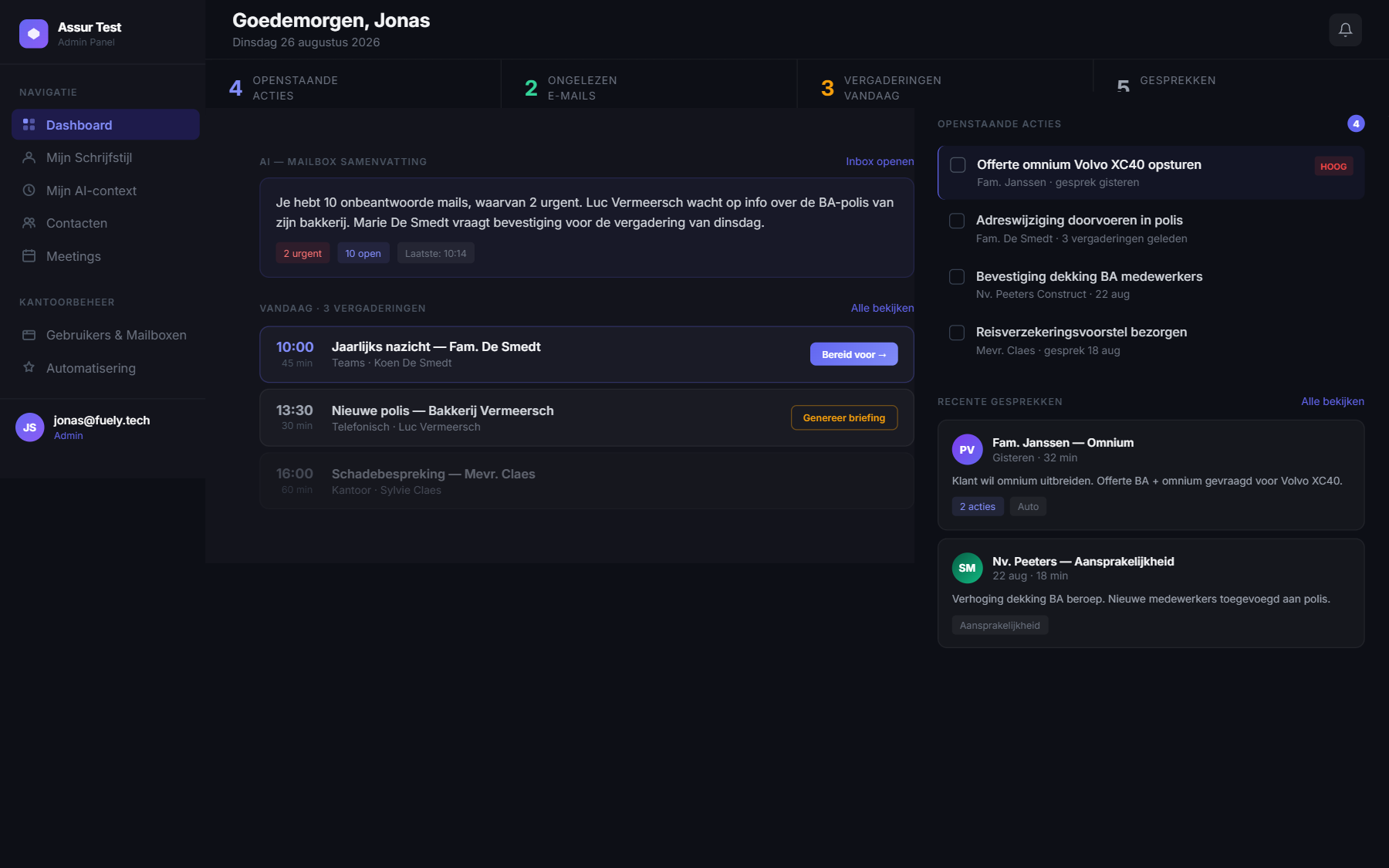
Real screen from the current BrokerMind environment
Mail Your mail answered before you open it.
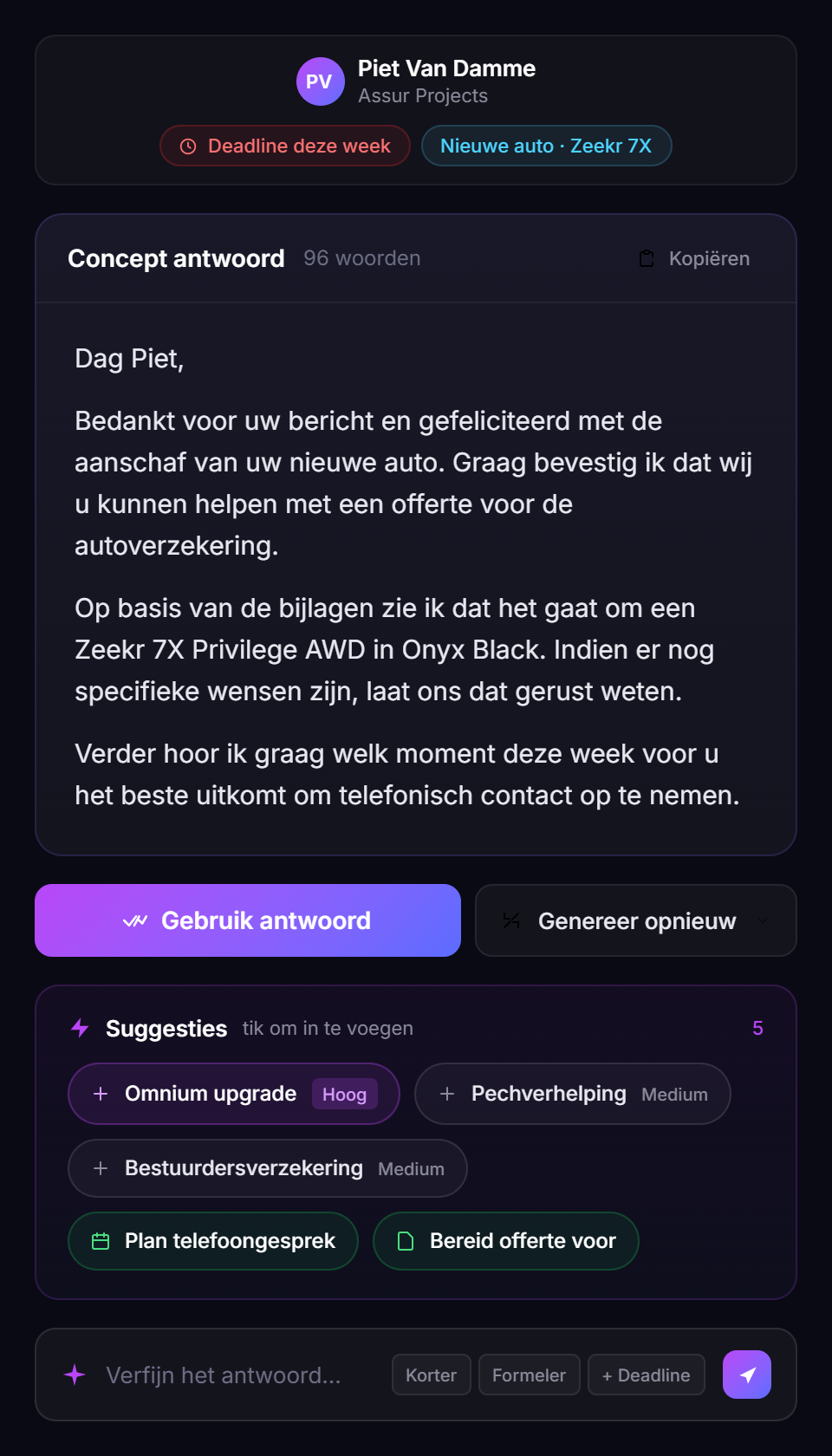
A client mail comes in. BrokerMind reads it, pulls in the policy, history and attachments, and prepares two or three replies in your writing style. You choose, adjust and send from your own mailbox. Tasks and follow-up are placed straight into the file in Brokercloud.
- Mail and attachments summarised, with sender, language and what's needed
- Draft replies with file context, in your own writing style
- Suggestions for the next step: task, product, template, tone
- Tasks and information placed directly in the file in Brokercloud
- Calendar proposals without overlapping appointments
Less searching, less retyping, less registering afterwards. A client gets a complete answer sooner.
Real screen from the current environment
Real screen from the current environment
Meet From client conversation to report in the file.
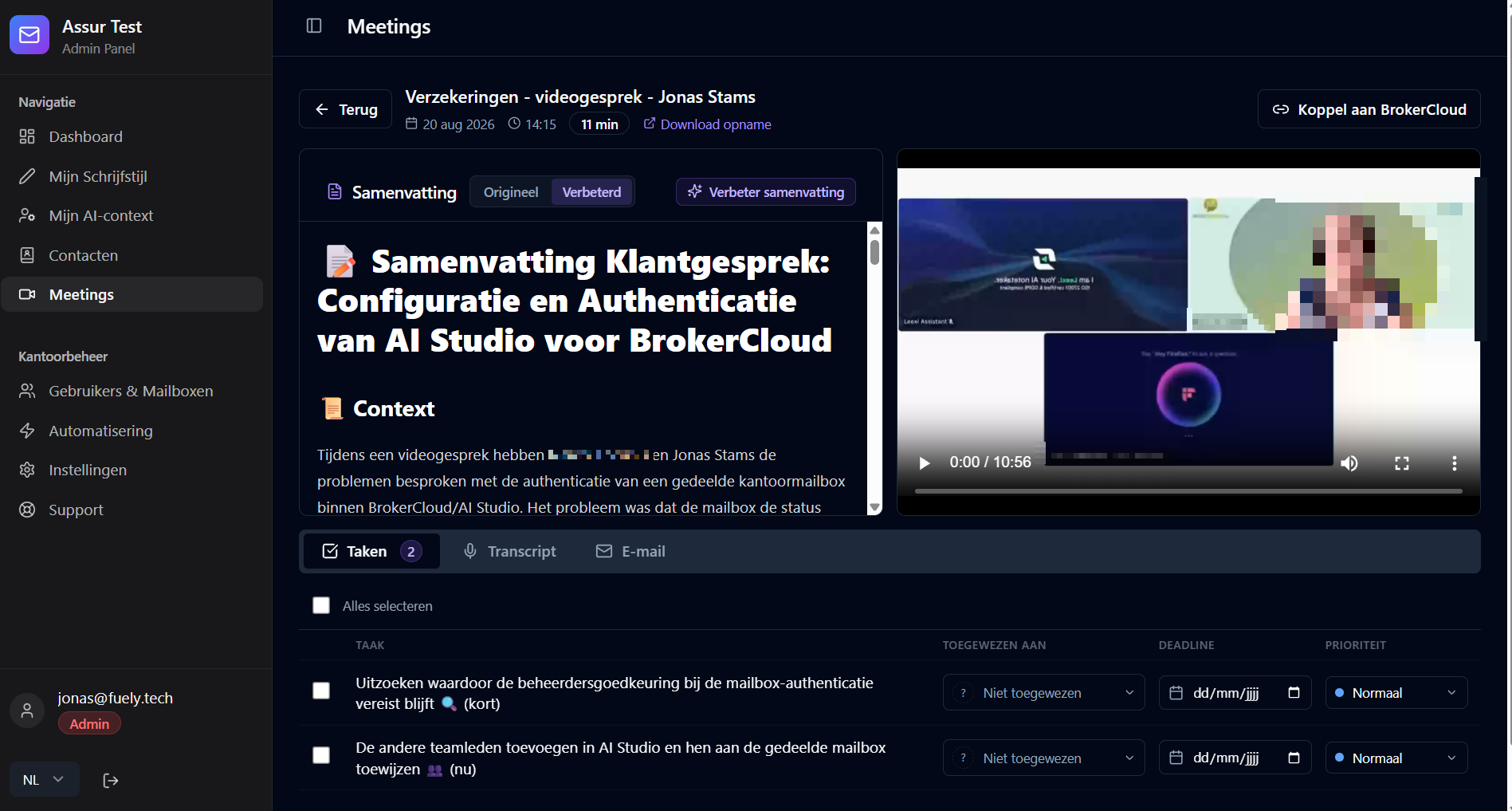
In person or online, Meet records the conversation and transcribes it. The report follows the needs analysis as a fixed structure, with templates per conversation type. You approve it, and the report is attached to the file with the action points as tasks.
- Recording of in-person and online client conversations, via Leexi
- Report with file context, for approval
- Needs analysis as a fixed starting point, templates per conversation type
- Action points as tasks in Brokercloud
- Briefing and notes also for meetings without a linked client
- Straight from the report to a follow-up mail or task, via Chat
The file is complete while the conversation is still fresh. No evening work on reports, no forgotten action points.
Chat Ask your file.
Chat is in beta. You can use it in your own office today, and we keep improving it every week. Features and usage limits may still change during this period.
Chat knows your clients, policies and claims in Brokercloud, the mails in your mailbox and the conversations in Meet. Whatever you want to know, you ask in plain language. After every answer, buttons for the next step are ready: a task, a follow-up mail, a document.
Clients, policies and claims in Brokercloud. Mails in your mailbox. Conversations in Meet.
A conversation from last week, a file, a client's unread mails. The action points from a conversation.
A task for a policy's due date. A follow-up mail as a draft, in your tone. You review and send.
A recap for a conversation as a pdf. A list or report as Excel. Your own quote or presentation in Word or PowerPoint, if you need one.
What you used to gather from three screens, you now ask in one sentence.
Example: client, policies, claims and mails in one conversation
Example: the answer to “what can you do for me?”
Every step knows the previous one.
A standalone AI tool starts from zero with every question. BrokerMind works within your file: what was in the mail, what was said in the conversation and what's in Brokercloud is already there in the next step.
Mail arrives
Summarised, with the policy and history at hand. The answer is ready.
Conversation held
Recorded and transcribed, with needs analysis.
Report ready
Action points and tasks, for approval, in the file.
Question asked
“What's still open for Mrs Peeters?” The answer comes from the file, mail and conversation.
Follow-up ready
The follow-up mail is ready, the task for the due date is in Brokercloud. You review and send.
What's left for you: reviewing, approving, sending. You still have the conversation itself.
Usable today. Deliberately built further.
We only release new features once they form a complete, usable workflow. That way, as an office you always know what you can use today and what's still to come.
Processing incoming mails, using file context and drafting reply proposals in Brokercloud.
Meet
Recording client conversations, transcribing them and turning them into a report with file context.
Chat
Asking questions about the file, mailbox and conversations; having follow-up mails, tasks and documents prepared. With buttons that suggest the next step.
Sending and calendar
Sending mails directly from BrokerMind, with your signature, and booking an appointment from Chat.
The memory
Chat remembers what happened in mail, conversation and file, and brings it back when you need it.
We announce new features as soon as they're available, including whether they're part of Core or an add-on. Improvements within your package are included.
Set up with a wizard, managed at app.brokermind.be.
See Mail, Meet and Chat on a real file.
Thirty minutes, tailored to your office. Then 14 days free with your own team.